Set up your event
Who sees which photos? Visibility and approval
You decide whether guests see all photos or only their own – and whether new photos appear after your approval.
For hosts
How it works
Open the gallery and tap Manage → Settings.
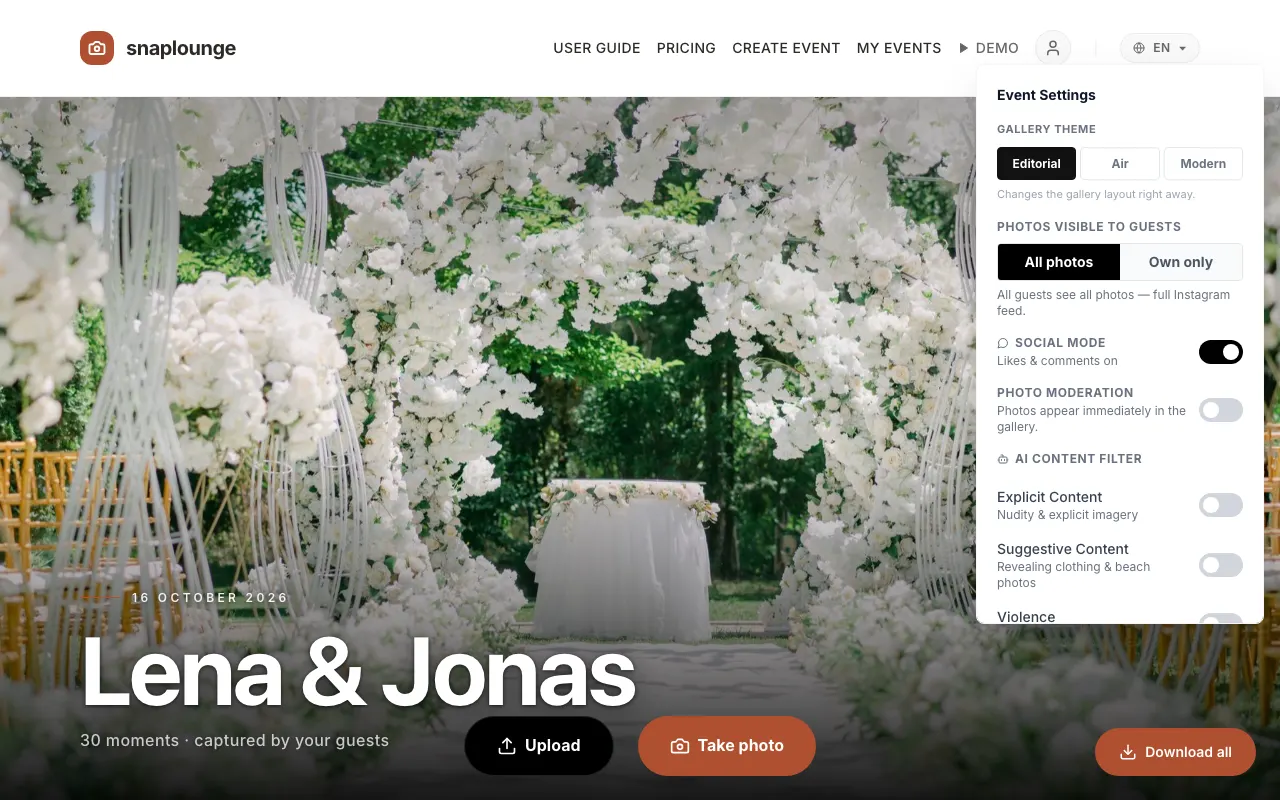
Under “Photos visible to guests,” you choose All photos (everyone sees everything) or Own only (each guest sees their own photos, and you see all).
Turn on “Photo Moderation” if new photos should become visible to everyone after your approval. How to approve: Approve and delete photos.
Did this help you?
Goes well with
- Delete and approve photosAs the host, you can delete any photo and – with Photo Moderation – approve new photos.
- Gallery design and viewChoose the gallery theme (Editorial, Air, or Modern) and whether guests see the photos as a mosaic or as a feed.
- Invoice and DPA for companiesThe invoice arrives automatically by email; you create the data processing agreement (DPA) yourself in the event.