What Is snaplounge? The Guest Photo App Explained
snaplounge collects all the photos your guests take at a celebration in one shared gallery. Guests scan a QR code, take photos right in the browser, and every picture lands with you instantly — straight from the camera, with no app to install, no sign-up and no WhatsApp group. In five minutes you will know how it works, what you get and who it is for.
The problem: the best photos sit on other people's phones
At every wedding, birthday and company party, hundreds of photos get taken — spread across dozens of phones. Afterwards, only a few of them usually find their way to you: some people send pictures via WhatsApp (where they get heavily compressed), others forget, and the host never sees many of the moments.
A photographer captures the planned moments. The spontaneous ones — the laugh at the table, the kids on the dance floor, the view from the second row — belong to your guests.
The solution: one QR code, one gallery
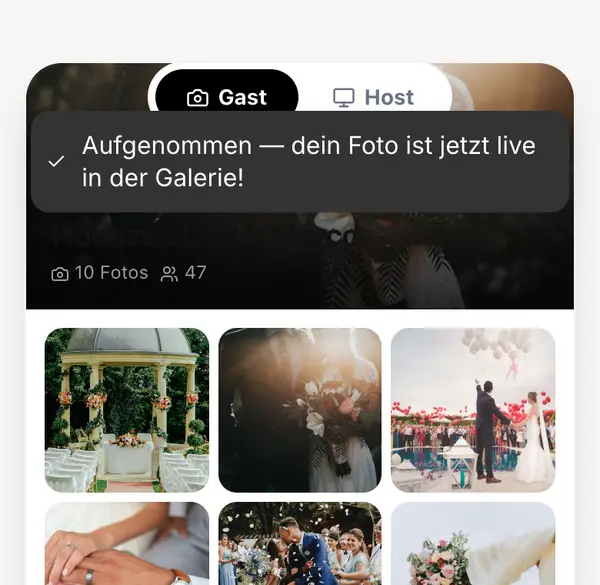
- You create an event and get a QR code.
- You put the code on the tables, on a stand or in the invitation.
- Guests scan it with their phone camera — the camera opens right in the browser.
- Every photo lands instantly in your shared gallery, which you can view and download at any time.
Free templates for table cards with a QR code are in the table card template. Every step is explained in detail in the user guide.
Why guests don't need an app
Every app installation loses you participants: full storage, a forgotten password, no appetite for yet another account. That is why snaplounge runs completely in the browser. Scan, shoot, done — it works on iPhone and Android, even for guests who usually keep their distance from technology.
What you get
- One shared gallery with all photos and videos from your guests, ready to download as a ZIP.
- The live slideshow: new photos appear in real time on a projector or TV (included in every plan).
- Photo tasks that inspire guests to take creative pictures (from Pro) — ideas in the photo challenge generator.
- Uploads on a weak connection too: photos are saved on the phone and upload automatically as soon as the signal is back.
- Control over which photos appear in the slideshow.
- For company events, a mode in which guests see only their own photos.
snaplounge compared
| WhatsApp group | Photo booth | snaplounge | |
|---|---|---|---|
| Who takes the photos? | everyone, but only a few share them | only at one station | all guests, everywhere |
| Image quality | heavily compressed | good, but always the same framing | original quality (from Pro) |
| Effort | chasing people after the party | delivery, setup, pick-up | put up a QR code |
| Privacy | everyone's phone numbers in one group | depends on the provider | guests join by scanning, stored in the EU |
| Live on the big screen | no | sometimes | yes (all plans, Free included) |
More in the detailed comparison photo booth vs. photo app.
Which occasions?
Any celebration where guests take photos: weddings, birthdays and parties, company events, bachelor and bachelorette parties, baptisms, confirmations, summer parties or holiday parties. Most hosts use snaplounge for one big day — which is why you pay once per event instead of a subscription.
What does snaplounge cost?
Once per event, no subscription. There is a free plan to try it out.
| Plan | What's included | Extras |
|---|---|---|
| Free · €0 | up to 15 guests, 50 photos, 90 days | live slideshow, to try things out |
| Pro · €59 | up to 100 guests, 5,000 photos, 6 months | photo tasks, original quality |
| Premium · €89 | up to 300 guests, 10,000 photos, 12 months | plus co-host, all QR designs, AI filter |
| Custom · from €129 | from 300 guests, price by guest count, 12 months | for large events; optionally without snaplounge branding and with AI filter |
All details are on the pricing page.
Privacy
Guests need neither an account nor a phone number. Photos are stored in the EU, and you decide who sees the gallery. For companies there is a dedicated guide to photos at company parties and the GDPR.