Invite guests
Invite guests by email
Send invitations with the link to your event right from snaplounge.
For hosts
How it works
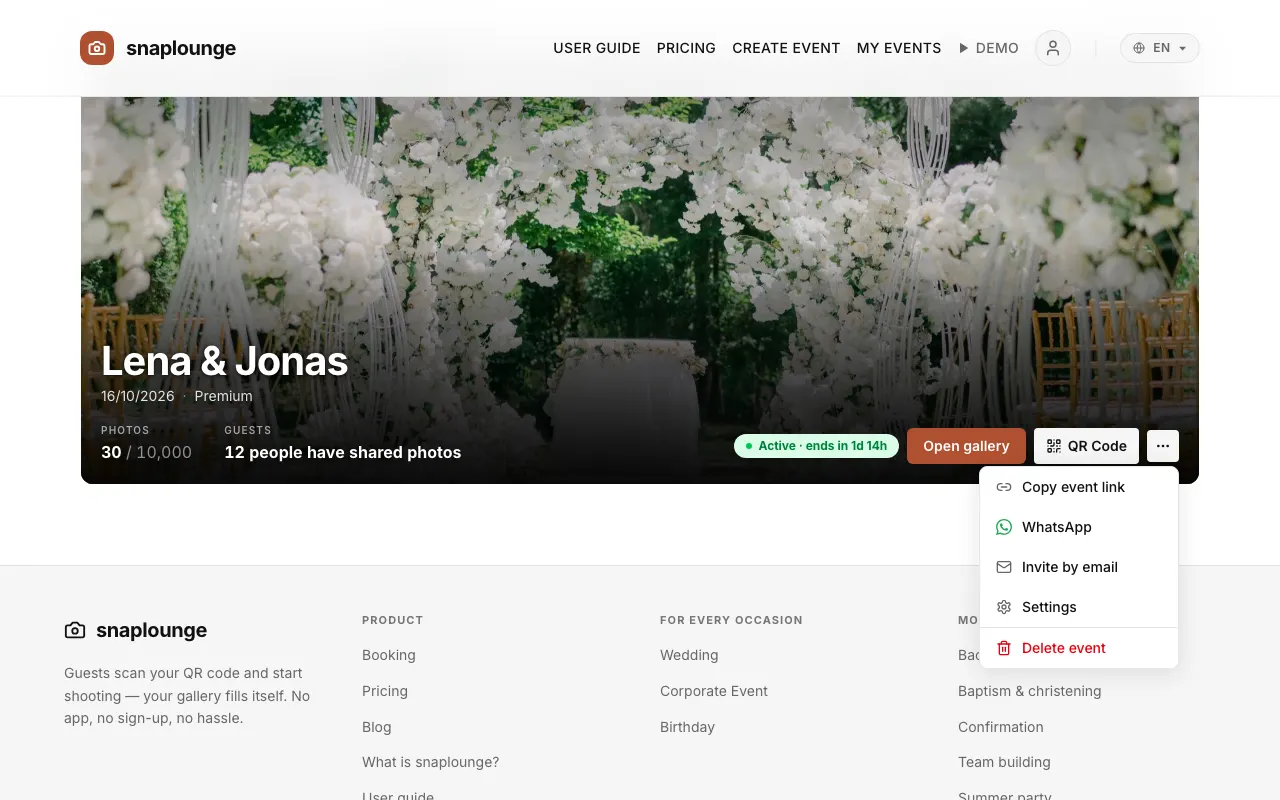
On the dashboard, tap … → Invite by email next to your event.
Enter the addresses. With Add another email, another field appears; you can also paste several addresses separated by commas.
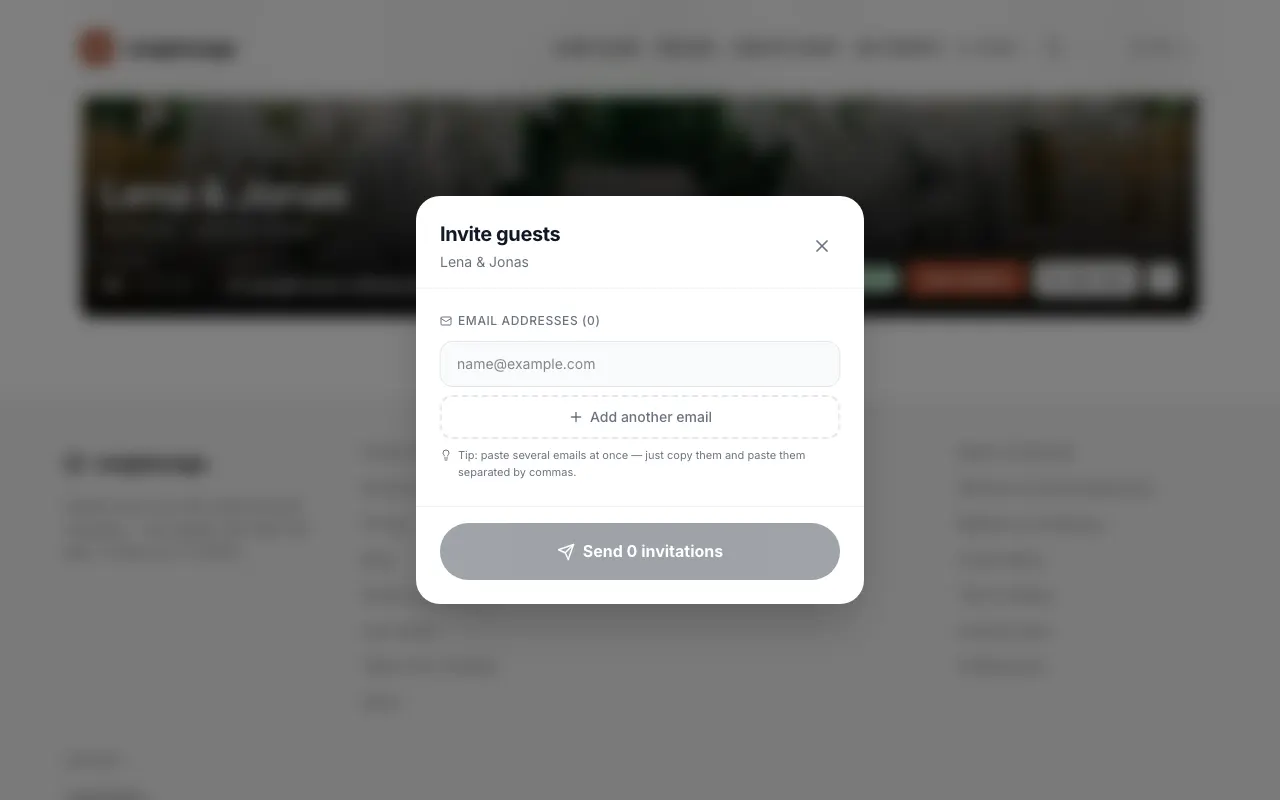
Tap the send button, which shows the number of invitations, for example Send 3 invitations. Every guest receives an email with the link to your event.
Did this help you?
Goes well with
- Share the link, e.g. via WhatsAppSend the link to your event to the family group or by message – one tap is enough to join in.
- Download and print the QR codeYou save your event’s QR code as an image or print it as a table card.
- Share the gallery by emailSend your guests the direct link to the finished gallery after the party.